




Blog / Vehicle Maintenance Tips

How to Protect Your Chevy or GMC's Paint and Interior During Iowa Winters

Close-up of car tires driving on a snow-covered road in winter.
Iowa winters are no joke. Between road salt, freezing temperatures, and slushy conditions, your vehicle takes a serious beating from November through March. No matter if you drive a GMC Sierra, a Chevy Silverado, or a family SUV, knowing the basics of winter car care in Manchester, Iowa, can help you protect your investment and keep your vehicle looking great all season long.

Why Winter Car Care is Important for Your Paint

Road salt is one of the biggest threats to your vehicle's finish during an Iowa winter. Salt accelerates rust and corrosion, especially in wheel wells, rocker panels, and along the lower body panels where it tends to collect. Protecting your car's paint from road salt starts before the first snowfall.
A quality coat of wax or paint sealant applied in the fall gives your finish a protective barrier against road chemicals and moisture. Ceramic coating is another option that offers longer-lasting protection. If your vehicle's clear coat is already showing wear, consider addressing that before winter arrives - damage worsens quickly when salt gets into small chips or scratches.
Frequent washing during winter months is equally important. Aim to wash your vehicle every one to two weeks, paying close attention to the undercarriage. Many automatic car washes offer undercarriage rinse options specifically designed to flush out road salt and debris.

GMC Winter Maintenance Tips to Protect Your Interior

Your GMC's interior takes a beating during winter as well. Wet boots, snow-covered floor mats, and mud tracked in from snowy parking lots can damage carpeting and cause long-term issues. Winter car care includes interior protection, not just exterior.
 
Replacing standard floor mats with all-weather rubber mats is one of the easiest and most effective upgrades you can make. These mats trap moisture, salt, and debris and are simple to remove and rinse clean. Look for models designed to fit your specific GMC or Chevy vehicle for the best coverage.
Applying a fabric protector spray to cloth seats can help repel moisture and stains. For leather interiors, a conditioner prevents drying and cracking caused by the dry, cold air inside a vehicle during winter months.

Mechanical Checks That Support Winter Vehicle Care in Iowa

Winter vehicle care goes beyond surface protection. Cold temperatures affect your battery, tires, and fluids in ways that can leave you stranded if left unchecked.
Your battery's capacity decreases significantly in cold weather. If yours is more than three years old, have it tested before winter sets in. Tire pressure also drops about one pound per square inch for every 10-degree drop in temperature, so check yours regularly and keep them inflated to the manufacturer's recommended level.
Make sure your antifreeze is fresh and mixed properly to handle Iowa's low temperatures. Check your wiper blades, too - consider switching to winter blades designed to handle snow and ice buildup. Keeping your washer fluid topped off with a freeze-resistant formula is a small but important detail.

Don't Forget These Final Winter Preparation Steps

A few extra steps can make a big difference. Keep a small emergency kit in your truck or SUV, including an ice scraper, a small shovel, jumper cables, and a blanket. This is especially useful for drivers in rural areas where help may be farther away.
Check that all exterior lights are working properly, since shorter days and snowstorms mean you'll rely on them more. Clean your headlight lenses if they appear foggy or yellowed - visibility is critical during winter driving conditions.

Visit Bob Stephen Motors for Winter Car Care Support

If you're ready to get your Chevy or GMC prepared for the season ahead, the team at Bob Stephen Motors is here to help. From service appointments to vehicle protection tips, we're committed to keeping Iowa drivers safe and confident all winter long. Stop by or visit us online to learn more.
Posted in:

Related Posts

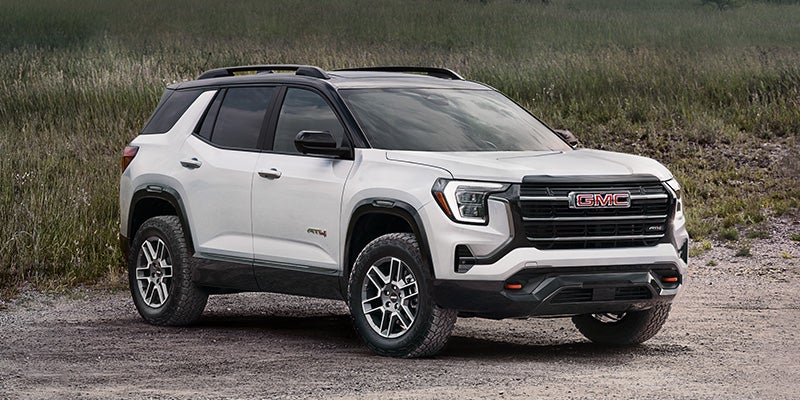
White GMC Terrain AT4 SUV parked on a rugged gravel trail.

 2027 GMC Terrain: What's New On this Small SUV

The 2027 GMC Terrain is here, and it brings a refreshed take on what a small SUV can offer. If you're commuting through town or heading out on a weekend adventure, the new GMC Terrain is worth a close look. Drivers in Manchester, IA, have a lot to be excited about with this updated model arriving at Bob Stephen Motors. What's New with the 2027 GMC Terrain The 2027 GMC Terrain builds on a strong foundation with updates that make everyday driving more enjoyable. GMC has refreshed the exterior styling, giving the Terrain a sharper, more modern look while maintaining the rugged character it's known for. The redesigned front fascia and available trim-specific badging help it stand out in a crowded segment. Inside, the cabin benefits from upgraded materials and a more driver-focused layout. The available features a more intuitive arrangement of controls, making everything feel easier to reach and use without distraction. 2027 GMC Terrain Technology Highlights The 2027 Terrain comes equipped with over 15 standard safety and driver-assist features—including Adaptive Cruise Control, Side Blind Zone Steering Assist, Rear Cross Traffic Braking, Intersection Automatic Emergency Braking, Traffic Sign Recognition, and HD Rear Vision Camera (with HD Surround Vision available). It also includes standard Google built-in functionality, enabling native access to Google Maps for real-time traffic updates, Google Assistant for hands-free climate and navigation controls, and downloadable apps via Google Play right from the touchscreen without needing your phone. Additional high-tech amenities like an available wireless charging pad, up to 6 USB ports throughout the cabin, an available Auto-Sense hands-free power liftgate, and an available 8-speaker Bose® Premium Audio system make the Terrain stand out for tech-focused shoppers in this competitive compact SUV class. Trim Levels: Elevation, AT4, and Denali One of the strengths of the new GMC Terrain is the variety of available trim levels. The base Elevation trim delivers a solid lineup of standard features and a sporty appearance. Step up to the AT4 for off-road-inspired styling and additional capability, including available all-wheel drive and a sport-tuned suspension. If you want the full luxury experience, the Terrain Denali delivers premium materials, exclusive exterior accents, and a higher level of standard technology. Each trim gives Iowa drivers a way to personalize the Terrain to fit their lifestyle without compromising on the core qualities that make this SUV stand out. Performance and Practicality for Iowa Roads The 2027 Terrain is powered by a 1.5L turbocharged inline 4-cylinder engine generating 175 hp and 203 lb-ft of torque. Front-wheel drive comes standard on the Elevation trim, while an available Intelligent All-Wheel Drive (AWD) system—standard on AT4 and Denali models—is a welcome feature for drivers throughout Manchester, IA, dealing with unpredictable weather and slippery road conditions throughout the year. The driver-selectable Drive Mode Selector features dedicated Normal and Snow modes, expanding to include AWD, Off-Road, and Tow/Haul modes to maximize traction. When properly equipped with the available Trailering Package, the AWD Terrain provides a maximum towing capacity of up to 1,500 lbs. Spacious Cabin, Cargo Utility, and Dashboard Displays The Terrain has a maximum cargo capacity of 63.5 cu ft when the 60/40 split-folding rear seats are stowed flat. An available AutoSense hands-free power liftgate makes loading cargo effortless when your hands are full. All 2027 Terrain trims feature a standard portrait-oriented 15-in infotainment touchscreen paired with an 11-in digital driver information center, complete with Google built-in integration and wireless Apple CarPlay® and Android Auto™ capability. Visit Bob Stephen Motors to Explore the 2027 GMC Terrain The 2027 GMC Terrain is a well-rounded small SUV that delivers style, technology, and day-to-day practicality. If you're ready to see it in person, the team at Bob Stephen Motors is here to help. Stop by, explore the available trims, and find the configuration that fits your life. Iowa drivers looking for a capable, connected, and comfortable SUV won't want to miss what the new GMC Terrain has to offer.

Mechanic servicing a vehicle’s tire and wheel with automotive tools.

How Often Should You Rotate Your Tires? Tips for Maintaining Your GM

If you’re trying to find the answer to the question, "When should I rotate my tires,” you're thinking like a responsible vehicle owner. Tire rotation is one of the simplest - and most overlooked - ways to extend the life of your tires and keep your GM vehicle performing at its best as you drive around Manchester, IA. Why Tire Rotation is Important for Your GM Vehicle Understanding when your tires need to be rotated starts with knowing why rotation is important in the first place. Tires wear unevenly depending on their position on the vehicle. Front tires typically carry more weight and handle steering, causing them to wear faster than rear tires. Regular rotation evens out that wear, helping all four tires last longer and maintain better traction on the road. How Often Should You Rotate Your Tires? Most automotive experts and manufacturers recommend rotating your tires every 5,000 to 7,500 miles. A helpful rule of thumb is to schedule a rotation every time you get an oil change - that way it becomes a natural part of your regular vehicle service routine. When thinking about your Chevy tire rotation schedule, keep in mind that driving habits and road conditions can affect how quickly your tires wear. Drivers who frequently tow heavy loads, travel on rough terrain, or put high mileage on their vehicles may benefit from rotating their tires closer to the 5,000-mile mark. Signs Your Tires Need Rotation Now Even if you follow a consistent GMC tire maintenance schedule, your tires will sometimes tell you they need attention before the next scheduled service. Watch for these common signs that a rotation may be overdue. Uneven wear patterns are one of the clearest indicators. If the tread looks noticeably different from one tire to another, it's time to rotate. You might also notice vibration in the steering wheel or a pulling sensation to one side. These symptoms often point to uneven tire wear and shouldn't be ignored. Tips for Staying on a Consistent Tire Rotation Schedule Staying consistent is the key to effective tire care. Here are a few simple ways to make rotation a habit. Set a reminder on your phone or calendar tied to your mileage. Keep your service records handy, so you always know when the last rotation was performed. And when you bring your vehicle in for any service appointment, ask your service advisor to check your tire wear at the same time. Schedule Your Next Tire Rotation at Bob Stephen Motors Knowing when you should rotate your tires and acting on that knowledge is one of the best things you can do to protect your car and stay safe on the road. Rotating your tires regularly reduces uneven wear, improves handling, and can even save you money by extending tire life. No matter if you drive a Chevy truck, SUV, or car, consistent tire maintenance pays off over time. Stop by Bob Stephen Motors or visit us online to schedule your next tire rotation with a team that knows your vehicle.

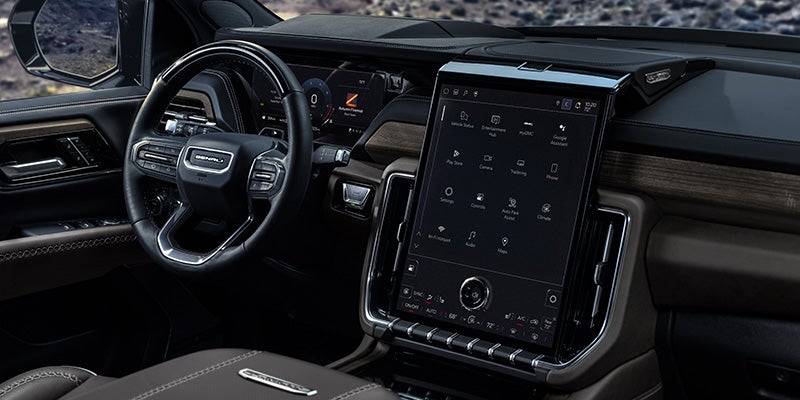
Vehicle interior featuring a touchscreen infotainment system and modern dashboard.

How to Make the Most of Your GMC Infotainment System

A good infotainment system should disappear into the beat of the drive rather than compete with it. In a modern GMC, the touchscreen, smartphone integration, voice controls, navigation, and connected services are intended to place information within easy reach without turning the dashboard into a collection of distractions. For drivers around Manchester, IA, learning the system before relying on it in traffic is the best way to make the technology feel like part of the vehicle. Start by Learning the Home Screen The first few minutes with the GMC infotainment system are best spent stationary, exploring the home screen and the functions available on the specific vehicle. Depending on model and equipment, the system can provide access to audio, phone functions, navigation, vehicle settings, and connected services through the center display. Pairing a compatible smartphone is a logical first step because supported GMC systems offer Apple CarPlay® and Android Auto™ compatibility, with wired or wireless operation depending on configuration. Once connected, drivers can access compatible navigation, audio, messages, and phone functions through the vehicle interface rather than handling the phone itself. Use Voice and Steering-Wheel Controls Where They Help Touchscreens are easy to understand when parked, but less appealing when the road demands attention. Steering-wheel controls and available voice recognition provide other ways to manage calls, audio, and supported vehicle functions without repeatedly reaching toward the display. Some GMC models also offer Google built-in compatibility, bringing supported Google services directly into the infotainment system. The exact voice, navigation, and connected features vary by vehicle and trim, so drivers should learn what their GMC includes instead of assuming every model uses the same software or interface. Customize the System Around the Way You Drive A well-designed interface becomes easier to live with when frequently used functions are placed where the driver expects them. Depending on the GMC infotainment system, owners may be able to rearrange shortcuts, adjust display settings, change audio preferences, manage connected devices, and configure certain driver or vehicle settings. Taking a few minutes to make those adjustments while parked can reduce the amount of searching required later. The same applies to notification settings: not every alert deserves equal prominence while driving, and a cleaner interface can make the information that does deserve attention easier to find. Navigation Works Best When You Choose the Right Tool Equipped GMC models can provide built-in navigation, while Apple CarPlay® and Android Auto™ give drivers access to compatible smartphone navigation apps. Some systems with Google built-in can also integrate Google Maps directly into the vehicle. None of these approaches is automatically superior in every situation. Built-in navigation can integrate more closely with vehicle functions, while smartphone-based navigation gives drivers access to apps and saved destinations they already know. Try both and use the one that requires the least thought while driving. Keep Connected Features Current Certain GMC vehicles support over-the-air software updates, connected services, available Wi-Fi® hotspot capability, and OnStar® features, with availability depending on model, equipment, and active service plans. Keeping system software current can help maintain compatibility and performance as the vehicle ages. Owners should also review which connected services are active, which require subscriptions, and which features are built into the vehicle itself. That distinction matters because a feature shown on a display today may depend on a trial period or service plan tomorrow. Learn the Technology Before You Need It The best time to learn a new infotainment feature is not while merging onto the highway. Set up smartphone connections, explore navigation, adjust the display, and try voice commands while the vehicle is parked so the controls feel familiar before they are needed on the road. Bob Stephen Motors can help Manchester-area shoppers compare GMC models, infotainment systems, smartphone compatibility, available connected technology, and current GMC inventory. Schedule a test drive online and spend a few minutes with the system from the driver's seat before deciding which setup fits the way you drive.